Jekyll2026-08-13T13:36:54-07:00https://ebobby.org/feed.xmlFrancisco SotoFrancisco SotoEvery mistake in the book.2024-01-07T00:00:00-07:002024-01-08T09:37:36-07:00https://ebobby.org/2024/01/07/Every-mistake-in-the-bookI started building Pick Your Photos since June last year. I didn’t really
focus too much into it at the beginning, it was just a way to pass time and play
with newer versions of Ruby on Rails.
Sometimes I had bursts of intense coding as I got hooked by a specific feature
that I wanted to build. Trying to display a gallery of photos on which every
photo displayed keeps it’s aspect ratio, it’s lazy loaded, works nicely on
mobile is quite the feat.
These last few weeks though I have been pouring into it almost a 100% of my free
time.
I didn’t really want to release something half baked, or that looked bad, given
that my intended market is professional photographers and they are really
aesthetic/visual beauty oriented.
“If You’re Not Embarrassed By The First Version Of Your Product, You’ve Launched Too Late”
I’ve talked with some of photographers and I, more or less, understand what
they’re looking for. But likely I haven’t talked with enough of them. I know
they’re out there but I am not entirely sure I know where I can reach them in
order to market to them.
“Spend more time marketing than building.”
I follow a lot of indie hackers and entrepreneurs on Twitter and most of them
start first with some marketing pages and then, when they are sure, they start
building. I already integrated payments, have a VPS and have the product running
(not officially launched yet, only my wife uses it) and I haven’t yet built the
landing page.
“Build a landing page first.”
I am in like 6 months, on and off, into this. I really like what I have right
now. It looks good and offers the basic functionality they need for client
galleries, selection and delivery. But, again, the people I follow usually talk
a lot about how they launched several products in a month, and how they intend
to launch, say, 20 products this year. And although I understand where that’s
coming from I am not really sure I, personally, would love to work like that.
“Fail fast.”
I am very likely making more mistakes. These are the ones I could think of the
top of my head, but the ones that get you are the ones you don’t know about. And
from now on the journey is going to get more interesting as I am almost ready
for the “launch”.
At least with some photographers I know and I can reach out to directly.
]]>Francisco SotoMy Entrepreneurship Journey2023-07-20T00:00:00-07:002023-07-20T19:02:02-07:00https://ebobby.org/2023/07/20/My-entrepreneurship-journeyI suck at entrepreneurship. At least, that’s how I sometimes feel.
Ever since I was a teenager, who recently learned programming, I wanted to build
a company. Fueled by the myth of the software companies of the 80s and 90s I
dreamed of being the next Microsoft or ID Software. A bunch of smart hackers
building something massive and then riding off into the sunset on red Ferraris.
Being a penniless Mexican kid though, far from Silicon Valley, made this dream a
bit too far to reach. When I got out of school I realized that having no money
and zero connections would be a rough start, so I joined the work force as a
programmer, it seemed that learning about how businesses worked from the inside,
while making money, was the only path to follow.
Hello Code / Chopeo
Fast forward a few years and I was living in San Francisco and working for a cool
startup, but, I had the nagging thought in the back of my head about starting
and building something up.
So, I decided to do something. I quit my job, and in what was a weird move, I
came back to Mexico to start something up.
My first thought was to do something on my own, I had savings and could work on
my own for a while. I wanted to build a small product that I could build and
support myself. I had no idea what, or how, but that’s what I wanted!
On my way back though, I promised a friend I would take a meeting with his
brother who wanted to invest on a technology business, that didn’t really fit my
plans but I wanted to be polite and took the meeting, and, as these things go, I
did accept and decided to build whatever I was going to build with some
investment and as a part of a larger group of companies (not tech).
We built Chopeo. A build-your-own-ecommerce application tailored for
the Mexican market. At the time Shopify was making a big deal of entering the
Mexican market, and there were other larger incumbents, like Kichink, but we
thought we could carve a decent niche for ourselves, sadly though, small niches
aren’t that great when you have investment pressure.
We probably made every mistake in the book. Not validating the market, not
setting up good channels for customer feedback, we didn’t try multiple marketing
channels and focused in the ones we knew and we probably did it wrong.
But, I enjoyed the experience a lot. We built something that users loved. I did
a lot of customer support because I enjoyed connecting with our users. I loved
watching their reactions when we fixed a bug they reported, or when we released
a feature they asked for hours later (sometimes minutes!). It was just magical.
But, alas, we failed. We closed down.
We got lucky though, and another startup that was building a point of sales app
wanted our technology to offer ecommerce as part of their whole suite. We sold
it for a “whooping” 120K USD.
Kraken Gastropub
A couple of years later a friend came to my house and said something to the
lines of “let’s open a bar”. At the time I was deep in the culture of craft beer
and food, and even though I knew it is a difficult business and we would
probably fail, I said yes.
So we opened Kraken Gastropub. We had a clear vision of what we
wanted. The type of place we loved to eat, drink and could only find while
traveling. A place with bar food (burger, hotdog) but, high quality. A great
lineup of craft beers. Music to our taste. People left sometimes because they
wanted to change the music. Or because we chose not to display sports on our TVs
most of the time. When people asked for a beer we could try to share the culture
of craft beer, what it was, different styles, what type of flavors, what type of
food to pair it with, etc.
We were uncompromising. We knew that if we made something we actually liked and
not compromised on our vision people with similar taste would love it (and
people with different taste would hate it).
We made many, many mistakes as well. Our location was bad, it had zero foot
traffic. Most people that walked into our restaurant knew they were coming
before they left their house. We had large operating costs. Rent, premium
ingredients, a large staff. We didn’t know how to market it or where.
But, after two grueling years we started seeing some black ink in our
balances. Slowly but steadily we grew. Word of mouth was great. We had a lot of
loyal regulars. A lot of our customers would come with us when they had
important events, graduations, valentine’s, etc.
And then the COVID pandemic hit. And with the uncertainty of what would happen, how
long it would take, and our high operating costs, we had to shut down. You can
still see our “we’ll be coming back soon” post in Instagram.
And that was it.
And now
What would I do if I had 100M USD right now? That’s a good thought exercise when
trying to figure out what is it that you truly want to do.
I’ve thought long and hard about what I would like to build and how. I really
like developing products and have a close relationship with customers. I love
building high quality products. With close attention to detail. Something that
is a pleasure to interact with. To use. To be in. I’ve decided to give
solopreneurship/indie hacking a try.
I am building now a small web application for photographers. A tool for picture
proofing that allow photographers clients to review and approve their photos. I
got the idea for this from my wife. She’s a photographer and she has complained
multiple times about the tool she has used before. Why not build something that
could give her a helping hand? If it eases her workflow and improves her
service, chances are, it could do the same for other photographers out there.
Did I vet the market? Build a few landing pages to decide which product to build?
Did I interview many potential users? (this one I actually did, but low volume,
just a few photographers I know, plus my wife). I did not.
I know there is a market. But I don’t know the size. There are some competitors
out there. I know a bunch of photographers (through my wife). And to be honest I
don’t intend to build a big company. If I get enough users to make it worth
working on and build something good, I’m down.
I am also taking the opportunity to build it entirely on my own so I can
exercise some of my weak skills, like HTML and CSS. Also I am using this to
play with some technologies I wanted to play with (HTML over the wire).
I am not trying to build a perfect product, but I am definitely paying a lot of
attention to quality. I am trying to keep it as small in terms of features
as possible so I can build them to a standard that satisfies me.
Doing that takes more time? Yes, it does. And, taking long to build something
just to fail is the mistake we developers commit a lot. I understand all that.
Will it fail? Probably. Hopefully I will learn some lessons for the next time.
About indie hacking
I have a lot of internal conflict between my own personal goals and “the way
you’re supposed to do it” when I consume the indie hacking content out there.
Much of the Indie Hacking content out there, especially on Twitter, seems to
promote rapid production— the more products, the better. The notion is that the
quicker you produce, the faster you’ll hit your market.
It makes sense, right? A lot of products fail not due to their quality, but
because they couldn’t find a market or because they couldn’t reach that market.
So, the more you produce in the shortest amount of time, the faster you find the
one that will be successful.
But, when I think about that, you must have to make a lot of compromises, right?
Like building your whole app in a single file. I don’t think that’s
wrong at all, it suits their purposes and they are evidently doing great.
But I am not sure that fits my goals. In a hypothetical world if I build a
product that actually has a modicum of success I don’t want to deal with
something like that. My “dream” would be to have a great base to keep building a
great product. With attention to detail. A well crafted product.
The argument could be made that once you have a product with traction you can
actually improve it and make it better. And it’s a good point. But I really want
to enjoy the journey, not just the end result.
I guess I will find out!
]]>Francisco SotoRemote Work: Location based compensation2023-06-12T00:00:00-07:002023-06-12T12:43:08-07:00https://ebobby.org/2023/06/12/Remote-work-Location-based-compensationThe Evolution of Work
Once upon a time, location was not a factor in finding a job. You worked where
you were. We didn’t even think about any other possibility. Your physical
location limited your job prospects and your earning potential.
Living and working as a software engineer in Mexico, working for a great
technology company was merely a dream. And the dream involved relocating. Fast
forward a couple of decades later and the dream has become reality, but with a
twist. Remote work is the norm, not the exception.
As an industry and society though, we are still adapting to the new
reality. There are a lot of arguments in favor of remote work, many against. And
companies and employees are figuring out how to make it work. What is the best
setup, processes, philosophies, techniques, etc.
One of such is location-based compensation adjustments.
Location based compensation adjustments
A few days ago I received an intriguing job offer. The role was interesting, the
company well known in the startup world. But, there was a hitch. They offered
less than the advertised range. They applied a 20% location-based adjustment to
the offered compensation because of where I live. Despite the job being remote,
they considered my physical location a factor to apply to my compensation.
I’ve seen many companies that do this, I usually ignore those job postings but
in this instance I missed the fine print.
I often question the logic behind this. In the past, my sole focus was to be a
master at my craft. I invested years to build and improve my skills, to
understand the nuances of software development. Now, my geographic location,
irrelevant to my ability as a developer, was a deciding factor in my
compensation.
The Company’s Perspective
Location-based compensation adjustments are often pitched as a means of
fairness. The argument is that since the cost of living varies significantly
from one region to another, it is equitable that pay scales are adjusted
accordingly.
Does it? Does it truly promote fairness?
Is it really fair to pay an employee less money for the same work just because
of where they happen to live? Isn’t it a bit too much that the company is
taking it upon itself to police which standard of living their employees should
have based on their role and position?
Could it be that it just happens to save some money?
I understand companies need to maintain profitability. I don’t take it personal
when companies do this, or when they offer below market base compensation
because that’s all they can afford. It is my decision if I want to work for that
company based on other factors. But we should call things what they are.
Turning Down the Offer
In the end I chose to decline the offer. It simply didn’t sit right with me. I
just knew that this was going to sit in the back of my mind and be a constant
reminder that the work that I would do was considered to be -20% less valuable,
regardless of its own merits. It’s not about the money, but the principle.
As I said, I didn’t burn any bridges. I had a very lighthearted conversation
with the Hiring Manager. I understand that’s what they do, and it’s up to me if
that is how I want to work, and decided it wasn’t.
Final Thoughts
So here we are, at the frontier of a new era, where you can do work from
anywhere in the world. As we navigate this blurred landscape we should try very
hard not to bring the old paradigms with us. We should shed the old, outdated
practices and develop new ones. It’s time we moved away from arbitrary factors
like location and focused more on the skills and the value we bring to the
table.
A the end of the day, it’s the human behind the computer that counts, not where
they happen to live.
Let’s create a future where fair compensation isn’t determined by a map, but by
the merit of our work.
]]>Francisco SotoThe words we say and the things we do…2023-04-28T00:00:00-07:002023-06-05T22:58:27-07:00https://ebobby.org/2023/04/28/the-words-we-say-and-the-things-we-doWhen we interact with people that are close to us, emotionally or physically, we
have the potential to have a big impact on people’s lives in ways that we may
not even imagine.
Back in high school some guy decided I had a “Bobby” face and started referring
to me as such. For context, my real name is Francisco so there’s no way to make
a connection to Bobby.
In time everyone in high school started calling me Bobby because they heard it
from him. Some even did it because they knew I wasn’t very happy to be called
something that was not my name.
Eventually I came to the conclusion that I should just leave things the way they
were. Mexicans tend to be very, very mean with nicknames and, as far as
nicknames go, Bobby was harmless. In order to avoid being assigned a new,
meaner, nickname I started to go with the flow.
And here I am, a couple of decades later, and my website, email, every handle in
every website is Bobby. My wife, my friends, my family, everyone calls me
Bobby. Sometimes, even old acquaintances call me “Roberto” and are befuddled
when they realize it isn’t my actual name.
That guy had a massive influence in my life. He renamed me, superseding my
parents. The funny thing is that he didn’t stay very long in that high
school. He was there for about 6 months and left. I can’t even remember his name
but the impact of his joke is still with me and will stay with me till I die. I
am not mad or anything like that, today the name Bobby feels like a larger part
of my identity than even my name. When I remember how I came to be I chuckle and
think that it’s very funny.
But at some level it also helps me be aware that even the smallest of things, a
simple action or a casual remark, can have a huge, long lasting impact on
somebody’s life. It helps me try to keep it positive. If they are not going to
remember my name but remember what I do or say, what do I want that to be?
Keep it positive. Be kind to other people and remember what they did or said
kindly. Sometimes we do not understand the power we have. Wield it wisely.
]]>Francisco Sotovagrant-lxc / pipework / lxc2019-01-21T00:00:00-07:002023-06-05T22:58:27-07:00https://ebobby.org/2019/01/21/debugging-series-vagrant-lxc-pipework-lxcI personally consider “debugging” (figuring out how something works and how is
it broken) a very important skill as a software developer and one that I don’t
think it is taught explicitly. It is simply left for us to figure it out.
For this reason I wanted to write about it for a while. Specially with examples
of real life problems and debugging sessions as I find they are far more useful
that simple made up examples.
This is the first in what likely will be a long series of posts as software
breaks all the time…
Software breaks all the time…
I’ve been using vagrant and virtualbox to setup my development environments for
a few years now. It’s a pretty convenient way to create reproducible
environments. Since I moved to linux though I’ve been using vagrant-lxc instead
of virtualbox as cointainers are just as isolated as virtual machines and they
are significantly faster.
Recently though, this stopped working as I tried to set up a new dev env. It
simply errored out.
$vagrant up
Bringing machine 'default' up with 'lxc' provider...
==>default: Importing base box 'emptybox/ubuntu-bionic-amd64-lxc'...
==>default: Checking if box 'emptybox/ubuntu-bionic-amd64-lxc' version '0.1.1546433870' is up to date...
==>default: Setting up mount entries for shared folders...
default: /vagrant =>/home/fms/Projects/local-devenv
==>default: Starting container...
==>default: Waiting for machine to boot. This may take a few minutes...
default: SSH address: 10.0.3.169:22
default: SSH username: vagrant
default: SSH auth method: private key
default:
default: Vagrant insecure key detected. Vagrant will automatically replace
default: this with a newly generated keypair for better security.
default:
default: Inserting generated public key within guest...
default: Removing insecure key from the guest if it's present...
default: Key inserted! Disconnecting and reconnecting using new SSH key...
==>default: Machine booted and ready!
==>default: Setting up private networks...
There was an error executing ["sudo", "/usr/local/bin/vagrant-lxc-wrapper", "/home/fms/.vagrant.d/gems/2.6.0/gems/vagrant-lxc-1.4.3/scripts/pipework", "vlxcbr1", "devenv", "192.168.64.4/24"]
For more information on the failure, enable detailed logging by setting
the environment variable VAGRANT_LOG to DEBUG.
Yeeey… fun.
Investigation
Apparently when we try to create our container, vagrant is failing to run a
command while trying to set up private networks. We have the command that it’s
trying to run but we don’t have any error output. Let’s try vagrant suggestion
and check the debug log.
$VAGRANT_LOG=debug vagrant up
.... lots of output ....
==>default: Setting up private networks...
INFO driver: Configuring network interface for devenv using 192.168.64.4 and bridge vlxcbr1
INFO driver: Checking whether bridge vlxcbr1 exists
INFO driver: Creating the bridge vlxcbr1
INFO subprocess: Starting process: ["/usr/bin/sudo", "/usr/local/bin/vagrant-lxc-wrapper", "brctl", "addbr", "vlxcbr1"]
INFO subprocess: Command not in installer, restoring original environment...
DEBUG subprocess: Selecting on IO
DEBUG subprocess: Waiting for process to exit. Remaining to timeout: 32000
DEBUG subprocess: Exit status: 0
INFO driver: Checking whether the bridge vlxcbr1 has an IP
INFO driver: Adding 192.168.64.254 to the bridge vlxcbr1
INFO subprocess: Starting process: ["/usr/bin/sudo", "/usr/local/bin/vagrant-lxc-wrapper", "ip", "addr", "add", "192.168.64.254/24", "dev", "vlxcbr1"]
INFO subprocess: Command not in installer, restoring original environment...
DEBUG subprocess: Selecting on IO
DEBUG subprocess: Waiting for process to exit. Remaining to timeout: 32000
DEBUG subprocess: Exit status: 0
INFO subprocess: Starting process: ["/usr/bin/sudo", "/usr/local/bin/vagrant-lxc-wrapper", "ip", "link", "set", "vlxcbr1", "up"]
INFO subprocess: Command not in installer, restoring original environment...
DEBUG subprocess: Selecting on IO
DEBUG subprocess: Waiting for process to exit. Remaining to timeout: 32000
DEBUG subprocess: Exit status: 0
INFO subprocess: Starting process: ["/usr/bin/sudo", "/usr/local/bin/vagrant-lxc-wrapper", "/home/fms/.vagrant.d/gems/2.6.0/gems/vagrant-lxc-1.4.3/scripts/pipework", "vlxcbr1", "devenv", "192.168.64.4/24"]
INFO subprocess: Command not in installer, restoring original environment...
DEBUG subprocess: Selecting on IO
DEBnUG subprocess: stderr: Found more than one container matching devenv.
DEBUG subprocess: Waiting for process to exit. Remaining to timeout: 32000
DEBUG subprocess: Exit status: 1
ERROR warden: Error occurred: There was an error executing ["sudo", "/usr/local/bin/vagrant-lxc-wrapper", "/home/fms/.vagrant.d/gems/2.6.0/gems/vagrant-lxc-1.4.3/scripts/pipework", "vlxcbr1", "devenv", "192.168.64.4/24"]
For more information on the failure, enable detailed logging by setting
the environment variable VAGRANT_LOG to DEBUG.
INFO warden: Beginning recovery process...
.... more output ....
We don’t get much additional detail from that. So my next step is simply to try
to run the command by hand and see if I can catch anything.
(EDIT: It was pointed out to me that the error I was looking for is indeed
present in the debug log and I missed it.)
$sudo /usr/local/bin/vagrant-lxc-wrapper /home/fms/.vagrant.d/gems/2.6.0/gems/vagrant-lxc-1.4.3/scripts/pipework vlxcbr1 devenv 192.168.64.4/24
Found more than one container matching devenv.
$
A clue! pipework seems to think we have two containers with the same name.
$sudo lxc-ls
devenv
$sudo ls /var/lib/lxc
devenv
Well. We don’t. What is going on? Let’s see if we can figure out what pipework
is trying to do. Thankfully, it is a bash script so we can simply open it in our
favorite text editor and search for “more than one”, which brings us to this
piece of code:
(This code is included in vagrant-lxc 1.4.3, under scripts/pipework and starting in line 146.)
# Second step: find the guest (for now, we only support LXC containers)while read _ mnt fstype options _;do["$fstype"!="cgroup"]&&continue
echo"$options" | grep-qw devices ||continue
CGROUPMNT=$mntdone < /proc/mounts
["$CGROUPMNT"]||{
die 1 "Could not locate cgroup mount point."}# Try to find a cgroup matching exactly the provided name.N=$(find "$CGROUPMNT"-name"$GUESTNAME" | wc-l)case"$N"in
0)# If we didn't find anything, try to lookup the container with Docker.if installed docker;then
RETRIES=3
while["$RETRIES"-gt 0 ];do
DOCKERPID=$(docker inspect --format='{{ .State.Pid }}'"$GUESTNAME")["$DOCKERPID"!= 0 ]&&break
sleep 1
RETRIES=$((RETRIES -1))done["$DOCKERPID"= 0 ]&&{
die 1 "Docker inspect returned invalid PID 0"}["$DOCKERPID"="<no value>"]&&{
die 1 "Container $GUESTNAME not found, and unknown to Docker."}else
die 1 "Container $GUESTNAME not found, and Docker not installed."fi;;
1)true;;*) die 1 "Found more than one container matching $GUESTNAME.";;esac
It may look complicated if you haven’t done shell scripting before, but if you
look at it closely it is relatively easy to find out what it is doing. Let’s
dissect it.
In the line:
N=$(find "$CGROUPMNT"-name"$GUESTNAME" | wc-l)
It’s trying to find something in the path $CGROUPMNT that is named after our
container “devenv” and if it finds more than one it returns the error we
got. What is $CGROUPMNT?
So it seems that lxc was upgraded a few weeks ago (it’s 2019-01 at the time of
this writing) and since I haven’t used it during these weeks I didn’t run into
this before.
My next step is to downgrade my installed version and see if that fixes this:
$sudo pacman -U lxc-1_3.0.3-1-x86_64.pkg.tar.xz
[sudo] password for fms:
loading packages...
warning: downgrading package lxc (1:3.1.0-1 =>1:3.0.3-1)...
$vagrant up
Bringing machine 'default' up with 'lxc' provider...
==>default: Importing base box 'emptybox/ubuntu-bionic-amd64-lxc'...
==>default: Checking if box 'emptybox/ubuntu-bionic-amd64-lxc' version '0.1.1546433870' is up to date...
==>default: Setting up mount entries for shared folders...
default: /vagrant =>/home/fms/Projects/local-devenv
==>default: Starting container...
==>default: Waiting for machine to boot. This may take a few minutes...
default: SSH address: 10.0.3.229:22
default: SSH username: vagrant
default: SSH auth method: private key
default:
default: Vagrant insecure key detected. Vagrant will automatically replace
default: this with a newly generated keypair for better security.
default:
default: Inserting generated public key within guest...
default: Removing insecure key from the guest if it's present...
default: Key inserted! Disconnecting and reconnecting using new SSH key...
==>default: Machine booted and ready!
It works! So it was the newer version of lxc that broke my setup. Let’s see what
this version has in the cgroup mount point.
Yep. This returns one entry. The newer version changed that and it broke what
pipework expected. But now we know exactly what and we can fix it:
The fix
# Try to find a cgroup matching exactly the provided name.M=$(find "$CGROUPMNT"-name"$GUESTNAME")N=$(echo"$M" | wc-l)case"$N"in
0)# If we didn't find anything, try to lookup the container with Docker.if installed docker;then
RETRIES=3
while["$RETRIES"-gt 0 ];do
DOCKERPID=$(docker inspect --format='{{ .State.Pid }}'"$GUESTNAME")DOCKERCID=$(docker inspect --format='{{ .ID }}'"$GUESTNAME")DOCKERCNAME=$(docker inspect --format='{{ .Name }}'"$GUESTNAME")["$DOCKERPID"!= 0 ]&&break
sleep 1
RETRIES=$((RETRIES -1))done["$DOCKERPID"= 0 ]&&{
die 1 "Docker inspect returned invalid PID 0"}["$DOCKERPID"="<no value>"]&&{
die 1 "Container $GUESTNAME not found, and unknown to Docker."}else
die 1 "Container $GUESTNAME not found, and Docker not installed."fi;;
1)true;;
2)# LXC >=3.1.0 returns two entries from the cgroups mount instead of one.echo"$M" | grep-q"lxc\.monitor"|| die 1 "Found more than one container matching $GUESTNAME.";;*) die 1 "Found more than one container matching $GUESTNAME.";;esac
We add a new case, if we get exactly two entries from find, check if one of them
is lxc.monitor, one of lxc 3.1.0 new additions, and if so, don’t error out.
We bring lxc up to date, apply this patch by hand to vagrant-lxc pipework copy
and try again:
$vagrant up
Bringing machine 'default' up with 'lxc' provider...
==>default: Importing base box 'emptybox/ubuntu-bionic-amd64-lxc'...
==>default: Checking if box 'emptybox/ubuntu-bionic-amd64-lxc' version '0.1.1546433870' is up to date...
==>default: Setting up mount entries for shared folders...
default: /vagrant =>/home/fms/Projects/local-devenv
==>default: Starting container...
==>default: Waiting for machine to boot. This may take a few minutes...
default: SSH address: 10.0.3.100:22
default: SSH username: vagrant
default: SSH auth method: private key
default:
default: Vagrant insecure key detected. Vagrant will automatically replace
default: this with a newly generated keypair for better security.
default:
default: Inserting generated public key within guest...
default: Removing insecure key from the guest if it's present...
default: Key inserted! Disconnecting and reconnecting using new SSH key...
==>default: Machine booted and ready!
Success!!
Conclusion
We fixed our broken dev environment and everything is almost right in the world again.
The other thing we need to do, of course, is to submit this patch to pipework
and submit another patch to vagrant-lxc to use this new version of pipework so
people that run it with lxc >3.1.0 have a working setup again.
]]>Francisco SotoImproving Linux battery life and thermal efficiency2018-09-01T00:00:00-07:002023-06-05T22:58:27-07:00https://ebobby.org/2018/09/01/improving-linux-battery-lifeI recently switched from MacOS to Linux for my personal/work machine. As much as
I like my new laptop I really missed all the battery life that my previous
Macbook Pro was capable of.
I decided to do something about it and improve battery life of my setup as much
as I could. This post is part me saving it for future reference and part sharing
it with you, the curious reader.
And I run the following software (at the time of this writing):
-------------
OS: Arch Linux x86_64
Host: Oryx Pro oryp4
Kernel: 4.18.5-arch1-1-ARCH
Packages: 900 (pacman)
Shell: zsh 5.5.1
WM: i3
------------------
Pop OS!
System76 has their own Linux distribution Pop! OS. By
default uses Gnome and comes preloaded with some good stuff and uses an older
version of the kernel. It must be the LTS kernel since they have to support it
and it would be crazy to support every version out there.
When I tested this machine with Pop OS! I got a discharge rate of about ~11-10W
idle, just powertop running. I do not remember if I had the keyboard backlight
on and what the screen backlight level was so it may not be a fair comparison
but it’s a good baseline.
Archlinux
I use Archlinux and i3-gaps which are way lighter than Ubuntu (Pop! OS base) and
Gnome. With my current setup I get ~8.5 W discharge rate while idling, just
running powertop.
This is before I run anything related to power savings so it comes to show how
much Linux has improved.
Power savings configuration
Kernel command line
I boot the kernel adding the following to the command line:
nowatchdog
The interesting bit for our current discussion is the nowatchdog paramater which
turns off lockup detectors in the kernel which saves a tiny fraction of power
and performance.
Kernel module configuration
I have the following kernel module configuration file:
# /etc/modprobe.d/power-management.conf
# Wifi power saving
optionsiwlwifipower_save=1d0i3_disable=0uapsd_disable=0optionsiwldvmforce_cam=0# USB autosuspend
optionsusbcoreautosuspend=5# Sound card power save
optionssnd_hda_intelpower_save=1# Intel GPU
optionsi915enable_dc=2enable_fbc=1
These are here for reference only and to show the concept of doing some research
on what drivers your machine is using and what do they need to have increased
power savings. You don’t want to copy these as-is because it may turn your
machine unusable.
TLP – Linux Advanced Power Management
From their project page:
TLP brings you the benefits of advanced power management for Linux without the
need to understand every technical detail. TLP comes with a default
configuration already optimized for battery life, so you may just install and
forget it. Nevertheless TLP is highly customizable to fulfil your specific
requirements.
TLP is a daemon that turns on power saving flags in hardware, configures the
CPU, configures kernel parameters, etc, that are good for power savings. As the
project says, the defaults are pretty good but you can always tweak it a little
bit more.
There is some fine tweaking possible for newer CPUs with TLP to manage cpu power
hints, pstates, turbo settings, etc. I don’t use them since I run System76’s
system76-power(github) to handle the CPU profiles because it is easier.
fancontrol is a daemon, that as its name says, controls fans in your
computer. That is, if the computer maker decided to give you that power. In
Linux, such control is done through the PWM (Pulse Width Modulator) interface.
PWM allows you to control the power that goes into an electrical line (I am
being intentionally simplistic here). If you have fan PWM lines available you
can control how much power goes into them, and in turn, how fast they spin.
fancontrol is part of the lm_sensors package in archlinux and ubuntu.
fancontrol is a tool to control a fan speed based on some temperature
thresholds. This is useful because usually the auto control in the fans is
overly aggressive, turning fans on very rapidly when the CPU activity increases
a tiny bit. And, the faster a fan spins, the more power it consumes.
You have to take several things into account here, the temperature limits of the
hardware you want to control the fan of, the ambient temperature of where you
live. Say, if the CPU wants to be at 30C by default but your ambient temperature
is 40C those fans are going to spin forever. You want to be careful with
this. You most likely don’t want to fry your electronics.
If you install the lm_sensors package and run the sensors utility you can see
which hardware temperature monitors you have available and what are their
temperature limits. Plus, if you have fans around.
Now, that is one I care about, the system76-isa-0000 has a fan for the CPU, and
turns out it is very aggressive and since I live in a very warm place to begin
with, I want to tone it down so I can save a bit of juice.
Run the pwmconfig utility which will create an /etc/fancontrol file which
looks like this:
# Configuration file generated by pwmconfig, changes will be lost
INTERVAL=10DEVPATH=hwmon1=devices/platform/system76DEVNAME=hwmon1=system76FCTEMPS= hwmon1/pwm1=hwmon1/temp1_inputFCFANS= hwmon1/pwm1=hwmon1/fan1_inputMINTEMP= hwmon1/pwm1=40MAXTEMP= hwmon1/pwm1=75MINSTART= hwmon1/pwm1=14MINSTOP= hwmon1/pwm1=12
(Don’t copy this. This is very hardware dependant, run pwmconfig)
Linux thermal daemon (thermald) monitors and controls temperature in
laptops, tablets PC with the latest Intel sandy bridge and latest Intel CPU
releases. Once the system temperature reaches a certain threshold, the Linux
daemon activates various cooling methods to try to cool the system.
Now, the difference between the fans and thermald is that thermald uses passive
cooling methods built into these CPUs.
thermald is a last barrier. When the CPU is under heavy load and not even the
fan can keep it cool thermald uses several passive cooling features built into
newer cpus (Intel’s, not sure about AMD) to minimize power and temperature.
This is my current configuration:
<!-- /etc/thermald/thermal-conf.xml --><?xml version="1.0"?><ThermalConfiguration><Platform><Name>Override CPU Passive</Name><ProductName>*</ProductName><Preference>QUIET</Preference><ThermalZones><ThermalZone><Type>cpu</Type><TripPoints><TripPoint><Temperature>82000</Temperature><type>passive</type><ControlType>SEQUENTIAL</ControlType></TripPoint></TripPoints></ThermalZone></ThermalZones></Platform></ThermalConfiguration>
Which pretty much means that if the CPU goes higher than 82C it should use all
matters of passive cooling at its disposal to cool it down. I’ve tested this and
it’s amazing how even using all the cores heavily it stays at 82C.
After you configure it you just enable the daemon and that’s it. It will do it’s
thing when it must.
Undervolting is similar to overclocking, except instead of increasing speed, you
are trying to keep your current speed by using less voltage.
This works because due to tiny differences in manufacturing processes CPU
voltage and power specifications are not the same between units. They have
ranges and tolerances. This is what lets you overclock and undervolt.
When a CPU maker builds a CPU they make sure to feed it voltage which can
guarantee they meet the specified clock speed. But it is very likely any given
CPU can work with less voltage and still work within the specified speeds and
stability.
What this accomplishes for us is using less power to feed the CPU and that saves
juice. Less voltage also mean less heat, which in turn means less fan noise and
spinning, which also saves juice.
I use intel-undervolt to set the voltages, but there are
other scripts and tools available.
You have to find the specific voltages and tolerances that your CPU can work
with, you do this by decreasing the voltage just a tiny bit, do some heavy
stress testing for a good chunk of time. If it works, you decrease it a bit
more, and you continue doing it till you find a set of voltages that work for
your machine.
This is how my (current) /etc/intel-undervolt.conf looks like:
The reason the GPU is commented out is because apparently it is already
undervolted by quite a bit by default. I recommend you use sudo intel-undervolt
read to check your default values. You may find something you don’t want to
change.
With all of this configuration, my idle power usage doesn’t really change very
much. It starts showing when you actually put some load and start using the
system. My overall battery life went from about ~4 hours to about ~5.5
hours. Which is pretty good. It still sucks compared with the MBP but this
machine is a power house. I didn’t really expect to get 10 hours of battery with
it.
Thermals improved quite a bit too, and that’s pretty important to me because I
live in a very hot place.
That is it. If you have any suggestions how to improve this guide, or how to
increase battery life please do share!
]]>Francisco SotoHOWTO: Use Oryx Pro’s discrete GPU in Archlinux2018-08-06T00:00:00-07:002023-06-05T22:58:27-07:00https://ebobby.org/2018/08/06/archlinux-nvidia-on-oryp4Although this has only been tested in System76’s Oryx Pro I suppose it
can be used in other distributions as well with a bit of work.
Introduction
In a previous post I explained how to use your discrete GPU for
specific applications while still running your main screen on your integrated
GPU.
This is pretty convenient because you don’t have to reboot to play a game or use
your GPU in a specific application, but it made other things more difficult like
using external monitors since they are all wired to the discrete GPU.
In this post we will replicate Pop! OS ability to boot exclusively into
your discrete GPU and have the ability to use external monitors (technically you
can use external monitors with bumblebee but it requires some effort).
No bumblebee
If you have installed bumblebee we have to get rid of it as it includes some
configuration to blacklist nvidia drivers and that will interfere with our set
up.
There is usually a discussion about using nouveau and how Nvidia is
evil and how much they suck but I still want to get as much of my video card as
I am able (with Linux) so I use their drivers.
This package is available in the AUR. I personally use aurman.
aurman -S system76-power
This utility allows you to switch GPU’s, turn on the discrete card on or off, or
switch power profiles. Overall, if you have a System76 machine you want this.
Configuration
Something important of note is that (at the time of this writing) the
nvidia-utils package includes the following (very important) configuration file:
It enables the modsetting driver and loads the nvidia driver (if
available). This fortunately doesn’t get in the way when using the Intel GPU.
One thing to note is that using the modesetting driver breaks xbacklight. If you
don’t use a desktop environment and rely on it to change the screen backlight
you will have to change how you do it.
Telling Xorg to use the discrete GPU
In order to use your discrete GPU we depend on a technology called PRIME. It
allows you to offload rendering to different GPUs, and more importantly for the
matter at hand, to have one GPU (integrated) to display the output rendered by
another GPU (your discrete).
Where you put the following instructions depends on how you run your X server.
Run startx manually
# Check if we are using nvidia graphics and tell xorg to get the# output from NVIDIA-0.if system76-power graphics | grep-q'nvidia';then
xrandr --setprovideroutputsource modesetting NVIDIA-0
xrandr --auto
xrandr --dpi 96
fi
And use one of the following methods mentioned here as it is
dependant of which manager you use.
Conclusion
That is it!. Now you just need to run:
sudo system76-power graphics nvidia
Reboot.
Enjoy. If you can’t get it working or have any suggestion, please reach out.
]]>Francisco SotoInstalling Archlinux on System76’s 2018 Oryx Pro (oryp4)2018-07-15T00:00:00-07:002023-06-05T22:58:27-07:00https://ebobby.org/2018/07/15/archlinux-on-oryp4I recently decided to move from OSX to Linux and settled on a System76 new Oryx
Pro (Jun 2018). They officially support Ubuntu and their own Pop! OS
which work really well. I decided to use Archlinux though as it is my
distribution of choice.
This post contains the details of how I managed to set it up and get all the
functionality you get in Pop! OS.
Turn off discrete graphics card
This machine has a Nvidia discrete graphics card, either a 1060/1070 GTX
depending on your configuration. Because of the way this card interacts with the
kernel ACPI code there are times when it can hang up the system if you run lspci
or some sort of hardware scanning tool like neofetch.
Let’s turn it off during install to avoid running into any problems :
echo 1 >/sys/bus/pci/devices/0000:01:00.0/remove
Don’t worry. We’ll get it working later on.
Initial install
Do a regular UEFI install. You have you make sure that your EFI
partition is /boot/efi instead of /boot since this is required for
System76’s firmware update utilities to work.
My setup looks like this:
Device            Start       End   Sectors   Size Type
/dev/nvme0n1p1     2048    411647    409600   200M EFI System
/dev/nvme0n1p2   411648  17188863  16777216     8G Linux swap
/dev/nvme0n1p3 17188864 976773134 959584271 457.6G Linux filesystem

Filesystem      Size  Used Avail Use% Mounted on
/dev/nvme0n1p1  197M  122K  197M   1% /boot/efi
/dev/nvme0n1p3  450G   19G  408G   5% /
Boot loader
System76’s utilities require you to pass ec_sys.write_support=1 as an argument
for the kernel. You need to configure your bootloader for that. In my case I use
grub so here is my /etc/defaults/grub changes to pass this on and a few other
(like the resume swap partition for hibernation).
System76 offers some utilities for Ubuntu and Pop! OS to enable better support
for their hardware and firmware upgrades. The AUR has all of these packages
too. Disclaimer: I maintain a couple of them.
system76-dkms (aur)
This is system76 kernel module that gives support to the keyboard backlight,
nvidia sound (hdmi) and a few other things. If you have a System76 machine you
definitely want this:
git clone https://aur.archlinux.org/system76-dkms.git
cd system76-dkms
makepkg -sci
sudo modprobe system76
system76-firmware-daemon (aur)
This package contains a daemon that is used by system76-driver to schedule
firmware updates.
This package contains the interface to the firmware daemon and a few other
utilities. You don’t really need most of them in Archlinux. They are mostly
support for older hardware.
git clone https://aur.archlinux.org/system76-driver.git
cd system76-driver
makepkg -sci
sudo system76-firmware #So you can tell if you have new firmware
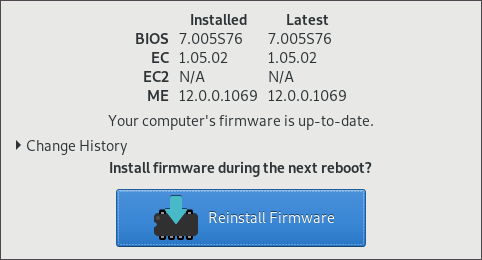
This is how the firmware UI tool looks like:
system76-power (aur)
This is the utility you want to set up some pre-configured power management
profiles for your machine and to control the Nvidia discrete graphics card.
System76 Pop! OS setup is designed to make you switch between Intel and Nvidia,
reboot and then use that card solely during that session. I don’t find that
particularly good since this is a laptop and I want to maximize battery life as
much as I can. I want to run Intel’s card and use the discrete card only on
demand.
In order to accomplish this, I use bumblebee and
primus. I don’t use bbswitch which is used to control the
discrete graphics card power since it is unstable in this machine (at this point
in time) and we can use system76-power to turn the card on and off more
reliably.
Setup
sudo pacman -S bumblebee primus
sudo gpasswd -a <username>bumblebee # need to be part of this groupsudo systemctl enable --now bumblebeed.service
sudo pacman -S nvidia nvidia-settings #You can use nouveau also.
sudo system76-power graphics intel
In order to make this easier I use the following aliases:
alias nvidia-settings="optirun -b none nvidia-settings -c :8 "
alias nvidia-on="sudo system76-power graphics power on ;sudo modprobe nvidia-drm nvidia-modeset nvidia"
alias nvidia-off="sudo rmmod nvidia-drm nvidia-modeset nvidia ;sudo system76-power graphics power off"
Not tested/working
There seems to be a fingerprint reader in this machine but the default kernel
doesn’t seem to pick it up and I haven’t made much of an effort to try to make
it work. I didn’t test it on Pop! OS. If you know which driver it needs please
let me know.
Multiple monitors, I don’t have an external monitor so I haven’t tested
this. Depending on which graphics card the HDMI/Display ports are wired the
setup would be different. I’ll update the post once I try this.
The webcam, sd card reader, sound, wifi, ethernet work out of the box.
I really hope this guide works for you as it took me a while to figure all this
out (and even had to bring a bring a couple of System76’s utilities to our own
AUR).
]]>Francisco SotoAlgunas citas de Jack Ma2014-02-27T00:00:00-07:002024-03-06T20:43:52-07:00https://ebobby.org/2014/02/27/Algunas-citas-de-Jack-MaEstaba leyendo una nota de Jack Ma, un exitoso empresario chino, acerca de como ser exitoso en la vida y los negocios. Algunas citas me parecieron muy buenas asi que las comparto (y traduzco). La nota original esta aqui.
No creas por un momento que podras unificar los pensamientos de todos. Es imposible. Es mucho mas sencillo unificar a una compañia bajo una meta comun que alrededor de una persona en particular.
No importa que tan exitoso seas en tu carrera, siempre debes recordar que estamos aqui para vivir. Si te mantienes ocupado trabajando todo el tiempo, seguramente vas a lamentarlo.
El mundo no recordara lo que dices, pero ciertamente recordara lo que haz hecho.
Si tienes una mentalidad diferente, tendras un resultado diferente: Si tomas decisiones diferentes a las de la gente, tu vida sera entonces diferente a las de ellos. Jack Ma
]]>Francisco SotoUno de esos días2014-02-09T00:00:00-07:002024-03-06T20:43:52-07:00https://ebobby.org/2014/02/09/Uno-de-esos-dias
Después de un largo y no tan buen día.
Hoy tuve un día como pocos.
Perdí un vuelo a Phoenix donde tenia mi conexión a San Francisco.
Se me cayo mi Nexus 4 y se quebró la pantalla inutilizando el touch en 3/4 de ella.
Llegue a Phoenix (en auto) 15 minutos mas tarde de lo que necesitaba para alcanzar el ultimo vuelo a San Francisco.
Hice una reservación a un hotel a través de Expedia y me equivoque de fecha (mañana), tratar de resolver el problema cuando mi único medio de comunicación (internet/teléfono) era un celular con la pantalla no funcional fue toda una odisea.
Y heme aquí, en el hotel en un área “folclórica” de Phoenix, esperando que todo salga bien para tomar mi vuelo mañana a San Francisco.
En vez de aguitarme o encabronarme me da risa.
La verdad de las cosas es que me considero una persona afortunada y un día como hoy, que son muy pocos, solo me hacen reafirmarlo.
También tomemos en cuenta que mis problemas de “hombre blanco” no tienen ninguna relevancia en el gran esquema de las cosas y hay personas que enfrentan cosas mucho peores todos los días.
Dejemos de quejarnos raza, levantémonos y hagamos algo.